
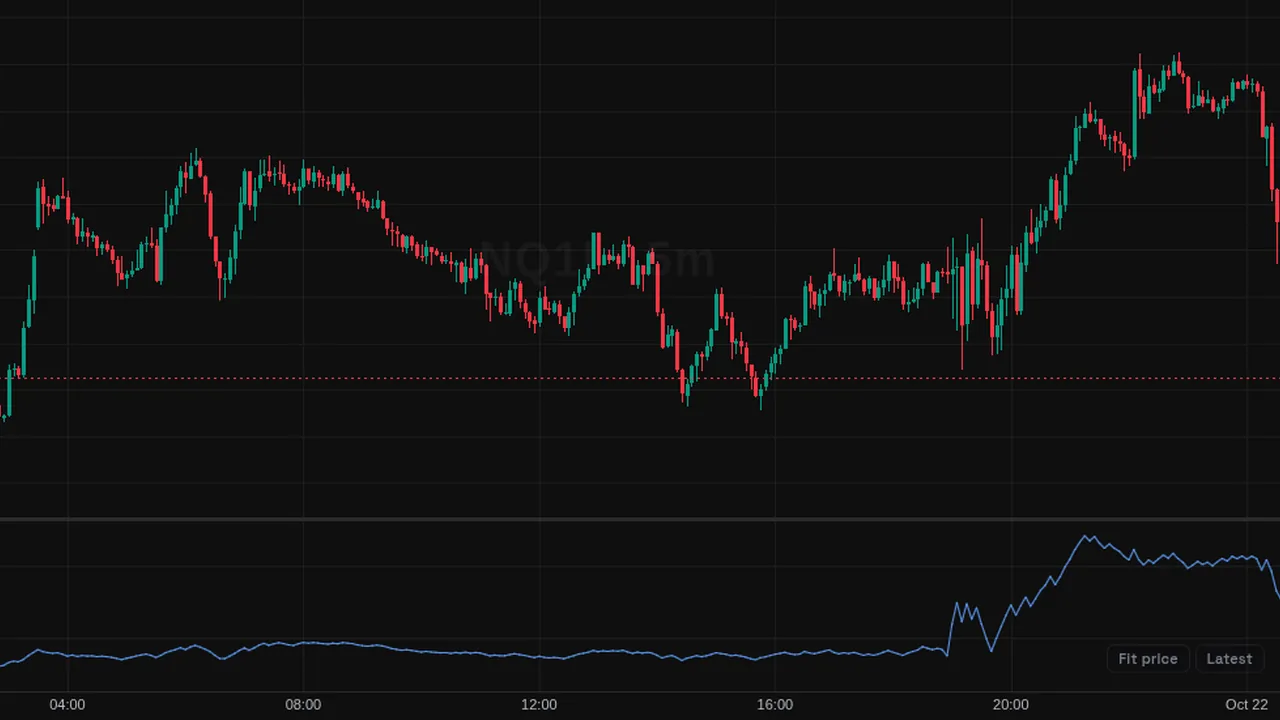
On Balance Volume: a running total that adds volume on up closes and subtracts it on down closes.
Overview
On Balance Volume (OBV), by Joe Granville, is a running volume line in its own pane. It rises when volume comes on up closes and falls when it comes on down closes.
An optional moving average can be added as a smoothing or signal line.
How it works
If close is above the previous close, add the bar's volume. If below, subtract it. If equal, OBV stays the same.
The smoothing line can be SMA or another type, 20 bars by default. The level of OBV has no meaning by itself; the slope does.
How to use it
- Some traders watch OBV breaking out before price does.
- Look for divergence between OBV and price.
- Use the smoothing line to see when OBV turns.
- Use it to check whether a breakout comes with rising volume.
These are ways some traders read it, for learning. They are not trade signals.
Settings
| Setting | Default |
|---|---|
| Settings | |
| Smoothing MADisplay a moving average of OBV to act as a smoothing/signal line. | Off |
| MA TypeMoving average type used for the smoothing MA.Options: SMA, EMA, WMA, RMA (SMMA) | SMA |
| MA LengthNumber of bars used for the smoothing MA. | 20 |
| Style | |
| OBVColor of the OBV line. | #5b9cf6 |
| Smoothing MAColor of the smoothing MA line. | #ff9800 |
Alerts
You can alert on its line crossing a value or the candle close (from the chart's + menu); checked while ZoroCharts is open.
Notes and limits
- It needs volume data; on symbols without volume it shows nothing useful.
Education only. Not financial advice. Indicators mark what happened on the chart; they do not predict what price will do. Trading futures, forex, crypto and other markets carries a high level of risk and may not be suitable for everyone.