
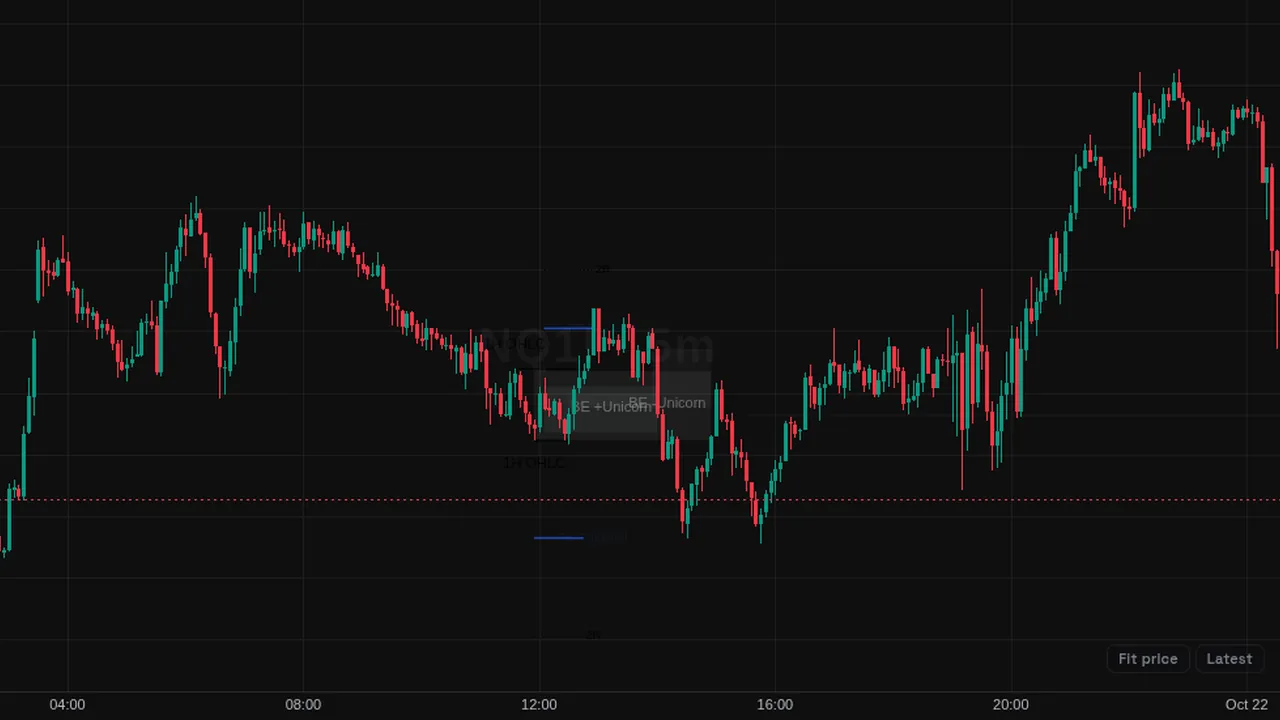
Unicorn and breaker model setups after sweeps, with HTF candles, multi-timeframe liquidity, session levels, FVGs, and SMT.
Overview
This community script looks for the ICT Unicorn model: a breaker block that overlaps a fair value gap after liquidity is taken. It can show only Unicorn setups or breakers too, with potential setups drawn before confirmation and invalidated ones in a ghost color.
How it works
Liquidity sources use OHLC levels plus swing points from each source timeframe, mapped automatically or set by you. A setup forms when price sweeps a level, breaks structure, and leaves a breaker overlapping an FVG.
The stop sits at the manipulation extreme, and targets are drawn at the R multiples you list. Optional parts include a break-even move at 50%, a daily cap on how many setups can reach target or stop, a breaker size filter and a time filter. SMT uses a pair mapped automatically or set manually.
How to use it
- Use it to see where a breaker and an FVG overlap after a sweep.
- Some traders keep the higher-timeframe candles on screen to stay aware of the bigger candle.
- Use the liquidity lines to see which levels have been swept.
These are ways some traders read it, for learning. They are not trade signals.
Settings
| Setting | Default |
|---|---|
| General Settings | |
| Max History | 50 |
| Bias ModeOptions: Neutral, Bullish, Bearish, Auto | Neutral |
| Model ModeOptions: Breaker, Unicorn, Breaker + Unicorn | Unicorn |
| Show Potential Model | On |
| Use Swing for Invalidation | Off |
| Discard Invalidated | Off |
| HTF Candles Settings | |
| ModeOptions: Auto, Custom | Auto |
| Custom TFOptions: 30 minutes, 45 minutes, 90 minutes, 1 hour, 2 hours, 3 hours, 4 hours, 6 hours… | 1 week |
| Max Displayed | 4 |
| Show Info & Timer | On |
Show all 114 settings
| Setting | Default |
|---|---|
| SizeOptions: size.tiny, size.small, size.normal, size.large | size.normal |
| Color | color.rgb(8, 8, 8) |
| Show Sweep Lines | On |
| Color | color.rgb(0, 0, 0) |
| HTF Candle Appearance & Projections | |
| Bull Body / Border | color.new(#83b785, 0) |
| Bear Body / Border | color.new(#5f5f5f, 0) |
| Wick Bull / Bear | color.new(#5f5f5f, 0) |
| Padding Offset | 10 |
| Spacing | 1 |
| Width | 1 |
| Open Line | Off |
| High/Low Lines | Off |
| Close Line | Off |
| Price Labels | Off |
| Liquidity Sources | |
| Source ModeOptions: Single, Multiple | Multiple |
| MappingOptions: Automatic, Manual | Automatic |
| Auto TypeOptions: OHLC + Swing, OHLC Only, Swing Only | OHLC + Swing |
| Source A | On |
| TF | 60 |
| LiqOptions: OHLC + Swing, OHLC Only, Swing Only | OHLC + Swing |
| Source B | On |
| TF | 240 |
| LiqOptions: OHLC + Swing, OHLC Only, Swing Only | OHLC + Swing |
| Source C | On |
| TF | D |
| LiqOptions: OHLC + Swing, OHLC Only, Swing Only | OHLC + Swing |
| Session Liquidity Levels | |
| Enable Session Liquidity | On |
| Session 1 | Asia |
| Session 2 | London |
| Session 3 | New York AM |
| Session 4 | New York PM |
| Target Projections & R:R | |
| Show Main R:R Target | On |
| Multiplier | 2.0 |
| Calculation AnchorOptions: Breaker Range, Confirmation Close | Confirmation Close |
| Show Extra Targets | Off |
| Multipliers | 1,3.5 |
| Break-Even Protection (50%) | |
| Enable Auto Break-Even | On |
| Show BE Trigger Line | On |
| Width | 1 |
| StyleOptions: solid, dashed, dotted | dotted |
| Color | color.new(#2962ff, 0) |
| Daily Risk Limiter | |
| Enable Daily Trade Limits | On |
| Max Wins | 1 |
| Max Losses | 2 |
| Visuals & Zone Styling | |
| Label SizeOptions: tiny, small, normal, large, huge | small |
| Bull Breaker / Retested | color.new(#2962ff, 89) |
| Bull FVG Color | color.new(#ff9800, 70) |
| Bear Breaker / Retested | color.new(#2962ff, 89) |
| Bear FVG Color | color.new(#ff9800, 70) |
| Invalidated Ghost Color | color.new(#b0bec5, 92) |
| Show CE (Bull FVG) | Off |
| Extend | Off |
| Show CE (Bear FVG) | Off |
| Extend | Off |
| Show Bull BB 50% | Off |
| Extend | Off |
| Show Bear BB 50% | Off |
| Extend | Off |
| BB 50% Color | color.new(#000000, 30) |
| Sweep Line Color/Style/Width | color.new(#000000, 0) |
| Sweep Label Color & Size | color.new(#000000, 20) |
| Projection Line Color/Style/Width | color.new(#000000, 0) |
| Breaker Size Filter | |
| Filter ModeOptions: All, Small+Med+Large, Med+Large, Large, Custom | All |
| Custom UnitOptions: Points, Pips | Points |
| Min | 0.0 |
| Max | 0.0 |
| Time & Session Filter | |
| Enable Time Filter | On |
| Timezone | exchange |
| Session 1 | On |
| Name | London |
| Session 2 | On |
| Name | New York |
| Session 3 | Off |
| Name | NY PM |
| Standalone FVG Settings | |
| Auto HTF Mode | On |
| Manual HTF | D |
| Bullish FVGs | On |
| Bearish FVGs | On |
| Show Boxes | On |
| Show Labels | On |
| Show Midlines | Off |
| Colors (Bull / Bear) | color.new(#4a4a4a, 90) |
| Midline Color | color.new(color.gray, 50) |
| Label Color | color.gray |
| Max Mitigated FVGs to Keep | 4 |
| SMT Divergence Settings | |
| Auto HTF Mode | On |
| Manual HTF | D |
| Auto Pair Mapping | On |
| Manual Pair | None |
| Keep Only Latest SMTs | On |
| Show Labels | On |
| Line Width | 1 |
| Colors (Bull / Bear) | color.rgb(0, 0, 0) |
| Alert Notifications | |
| Enable All Alerts | Off |
| Potential Breaker | On |
| Activation | On |
| Target Reached | On |
| Invalidation Warning | On |
| Invalidation Hit | On |
| HUD Dashboard Tables | |
| Show Info Table | On |
| ModeOptions: Simple, Detailed | Simple |
| Position | Bottom Right |
| Show Stats Table | On |
| Position | Top Right |
Alerts
The script sends its own alert messages, and members can create an alert on them from the chart's alert dialog; alerts from indicators run while ZoroCharts is open in the browser.
Notes and limits
- Up to 50 setups are kept in history by default.
- Targets, stops and limits follow the script's own rules.
- SMT and multi-timeframe liquidity need extra data requests.
Education only. Not financial advice. Indicators mark what happened on the chart; they do not predict what price will do. Trading futures, forex, crypto and other markets carries a high level of risk and may not be suitable for everyone.