
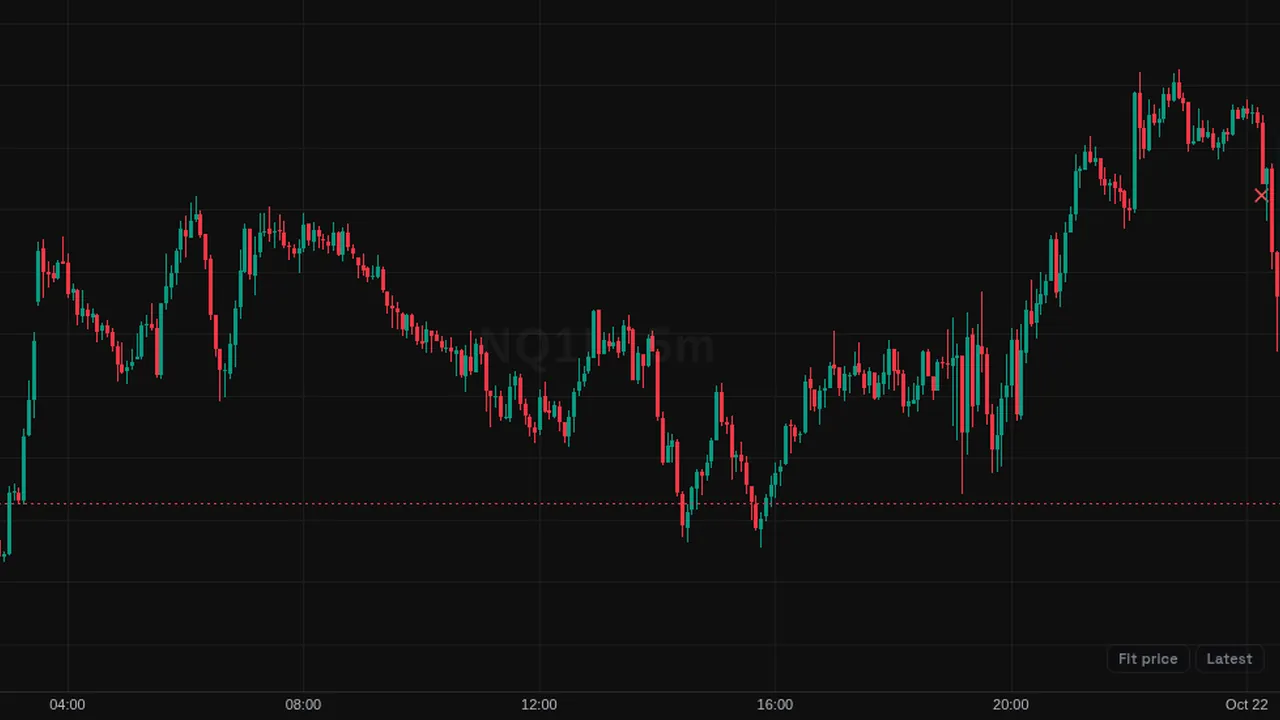
Model script with PO3 higher-timeframe candles, SMT, inversion FVGs, order-block projections, time filters and Quarterly Theory cycles.
Overview
This community script combines several ICT-style tools. On the right of the chart it draws higher-timeframe candles (PO3 candles) with optional open, high and low lines and time labels. On the chart it marks SMT divergences, fair value gaps and inversion FVGs, sweeps, order blocks and external range liquidity.
When its model conditions line up, it draws a setup with a stop level and order-block projection targets, and markers for outcomes such as stop hit, target hit, no fill or external range liquidity hit. It can also shade Quarterly Theory time cycles and show an info table.
How it works
SMT compares the chart with a paired symbol, found automatically for common futures, FX, metals and crypto pairs, or set manually; a second pair is optional. The timeframe used to look for entries can follow the chart automatically or be set by you.
Stops can be placed automatically, at the order block high or low, or from the SMT swing. Targets are projected from the order block or from the breakout candle close, at the multiples you list (1 and 2 by default).
A time filter limits setups to the windows you set, and History controls how many past setups stay on the chart.
How to use it
- Use the PO3 candles to keep the higher-timeframe candle in view while you trade a lower one.
- Some traders watch for an SMT plus FVG tag as the first sign of the model.
- Use the outcome markers to review how past setups played out under the script's rules.
- Use the cycle shading to see where the session sits in its time cycle.
These are ways some traders read it, for learning. They are not trade signals.
Settings
| Setting | Default |
|---|---|
| ALERTS SETTINGS | |
| Alerts? | On |
| SMT & FVG Tagged? | On |
| Model Active? | On |
| Orderblock Projection Hit? | Off |
| External Range Liquidity Hit? | Off |
| GENERAL SETTINGS | |
| History | 1 |
| Discard Invalidated History | On |
| BiasOptions: Neutral, Bullish, Bearish | Neutral |
| Timeframe AlignmentOptions: Auto, 1m-15m, 3m-30m, 5m-1H, 15m-4H, 1H-1D, 4H-1W, 1D-1W… | Auto |
| Custom LTF | 5 |
Show all 99 settings
| Setting | Default |
|---|---|
| OB InvalidationOptions: Automatic, OB High Low, SMT Based Invalidation | Automatic |
| OB Projections | 1, 2 |
| Projection CalculationOptions: Breaker Range, Confirmation Close | Confirmation Close |
| PO3° SETTINGS | |
| PO3 Candles | On |
| Timeframe | None |
| Set Automatically | On |
| Number of HTF Candles | 1 |
| Offset | 15 |
| SizeOptions: Small, Medium, Large | Medium |
| Margin | 1 |
| Use HTF data to generate candlesOptions: Weekly, Always, Never | Weekly |
| PO3° Up Candles | |
| Body | color.new(#83b785, 0) |
| Wick | #5f5f5f |
| Border | #5f5f5f |
| PO3° Down Candles | |
| Body | color.new(#5f5f5f, 0) |
| Wick | #5f5f5f |
| Border | #5f5f5f |
| PO3° Projections | |
| Width | 1 |
| Open | On |
| Width | 1 |
| High/Low | On |
| OHLC Prices | Off |
| PO3° Time & Date Labels | |
| Show Candle Time/Date Labels? | On |
| Text Color | color.new(#1a1a1a, 0) |
| SizeOptions: Tiny, Small, Normal, Large | Small |
| SMT SETTINGS | |
| Auto Detect SMT Pair | On |
| SMT History Limit | 1 |
| Manual Pair 1 | ES1! |
| Inverse? | Off |
| 2nd SMT Pair | Off |
| Inverse? | Off |
| MODEL SETTINGS | |
| Label SizeOptions: Tiny, Small, Normal, Large | Small |
| FVG | color.new(#787b86, 90) |
| CE | Off |
| Show Inversion FVGs? | On |
| Bullish iFVG Box | color.new(#0068bd, 85) |
| Txt | #0068bd |
| Bearish iFVG Box | color.new(#bd0000, 85) |
| Txt | #bd0000 |
| ERL | color.new(color.black, 0) |
| Sweep | #1a1a1a |
| SMT | color.new(#000000, 0) |
| OrderBlock | #0068bd |
| TIME FILTER | |
| Enable Time Filter? | On |
| Custom Timezone? | Off |
| UTC | -4 |
| Filter 1 | On |
| Filter 2 | On |
| Filter 3 | On |
| Filter 4 | On |
| BACKTEST MARKERS | |
| Invalidation | color.new(#ff5252, 0) |
| Target | color.new(#00a113, 0) |
| No Fill | color.new(#ea9023, 0) |
| ERL | color.new(#00a113, 0) |
| QUARTERLY THEORY | |
| Enable Quarterly Theory Cycles? | On |
| Selection Model for Daily CycleOptions: qt_mdl1, qt_mdl2, qt_mdl3 | qt_mdl1 |
| Model Settings | |
| [Timezone]Options: GMT-11, GMT-10, GMT-9, GMT-8, GMT-7, GMT-6, GMT-5, GMT-4… | GMT-4 |
| [Start Hour] | 18 |
| [Minute] | 0 |
| [Duration of Daily Cycle (Minute)] | 360 |
| [Division Coefficient (X)] | 4 |
| Display & Color Settings | |
| History (Max Boxes) | 4 |
| [Divider] | Off |
| [Box] | On |
| [Line] | Off |
| [Label] | Off |
| [Numeric Labeling] | Off |
| [Border Width] | 0 |
| TypeOptions: Solid, Dashed, Dotted | Dashed |
| Cycle Colors | |
| [Q1/W1/A Box] | color.gray |
| [Q2/W2/M Box] | color.red |
| [Q3/W3/D Box] | color.teal |
| [Q4/W4/X Box] | color.blue |
| [Background Contrast] | 95 |
| [Border Contrast] | 50 |
| [Lower Cycle] | Off |
| INFO TABLE / DASHBOARD | |
| Show Info Table? | On |
| Text SizeOptions: Tiny, Small, Normal, Large, Huge | Small |
| Table LocationOptions: Top, Middle, Bottom | Top |
| Background Color | color.new(color.gray, 90) |
| Border Color | color.new(#1a1a1a, 0) |
| Text Color | color.new(#1a1a1a, 0) |
| Border Width | 2 |
| Frame Color | color.new(#1a1a1a, 0) |
| Frame Width | 2 |
| Timeframe Alignment | On |
| Bias | On |
| Time Filter | On |
| Date | On |
Alerts
The script sends its own alert messages, and members can create an alert on them from the chart's alert dialog; alerts from indicators run while ZoroCharts is open in the browser.
Notes and limits
- SMT needs data for the paired symbol.
- The model, stops and targets are the script's own rules; they are not advice.
- Times use the timezone you choose in the time filter.
- Many modules are on by default; turn off what you do not use to keep the chart clean.
Education only. Not financial advice. Indicators mark what happened on the chart; they do not predict what price will do. Trading futures, forex, crypto and other markets carries a high level of risk and may not be suitable for everyone.