
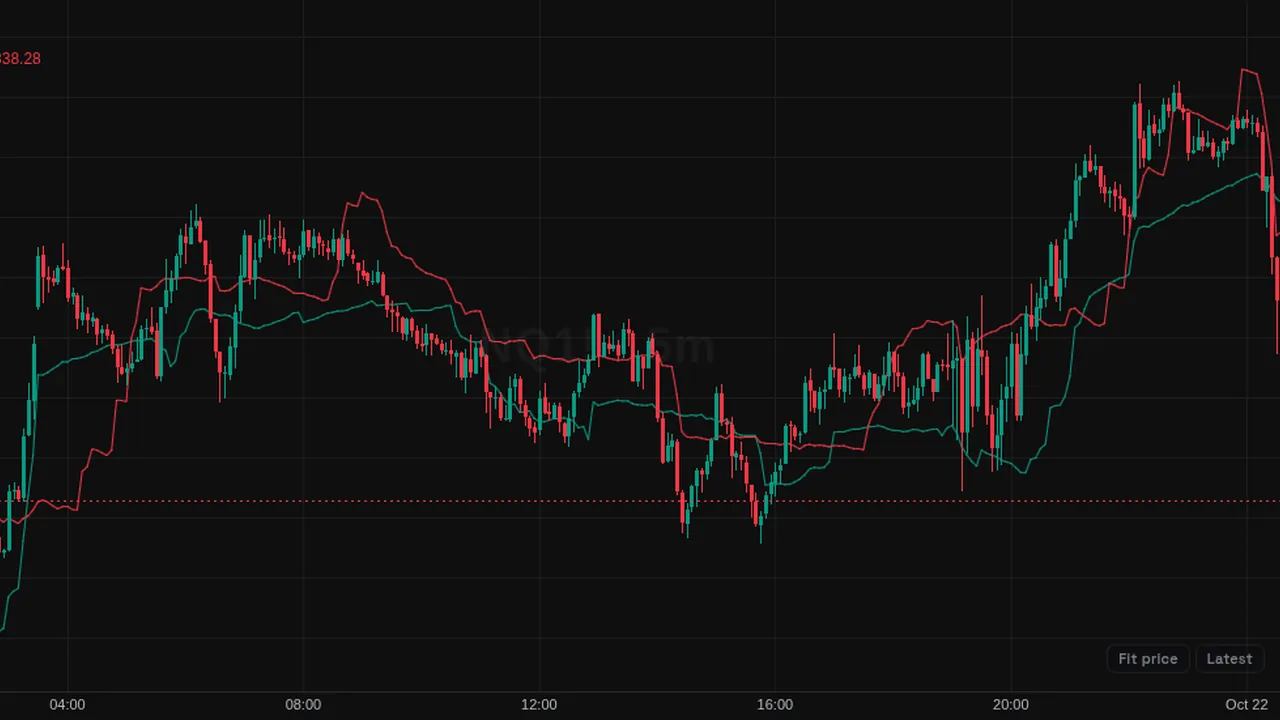
Chandelier Exit: trailing stop lines set three ATRs from the 22-bar highest high and lowest low.
Overview
The Chandelier Exit draws trailing stop levels on the price chart: a long stop below price in green and a short stop above price in red.
It hangs the stop from the recent extreme, like a chandelier from a ceiling.
How it works
Long stop = highest high of 22 bars - 3 x ATR(22). Short stop = lowest low of 22 bars + 3 x ATR(22).
With Ratchet Stops on, the long stop cannot fall and the short stop cannot rise until the close crosses the stop.
How to use it
- Some traders use the long stop as a trailing exit level in an uptrend.
- Use a close through a stop as a sign the trend may be changing.
- Raise or lower the multiplier to make the stop looser or tighter.
- Turn on ratchet mode for stops that only move one way.
These are ways some traders read it, for learning. They are not trade signals.
Settings
| Setting | Default |
|---|---|
| Settings | |
| LengthLookback used for both the highest high / lowest low extremes and the ATR. | 22 |
| ATR MultiplierMultiple of ATR subtracted from the highest high (long stop) and added to the lowest low (short stop). | 3 |
| Ratchet StopsPrevents the long stop from falling and the short stop from rising, resetting once close crosses through the stop. | Off |
| Style | |
| Long StopColor of the long trailing stop line. | #089981 |
| Short StopColor of the short trailing stop line. | #f23645 |
Alerts
You can alert on its line crossing a value or the candle close (from the chart's + menu); checked while ZoroCharts is open.
Notes and limits
- Works on any symbol and timeframe; it only needs candle data.
- It follows volatility, so stops move further away when ATR grows.
Education only. Not financial advice. Indicators mark what happened on the chart; they do not predict what price will do. Trading futures, forex, crypto and other markets carries a high level of risk and may not be suitable for everyone.