A library of full trading models: the context to look for, the trigger to wait for, the invalidation that decides the idea is wrong, and how the trade is managed after entry. Every step documented.
Models are methods to study, not trade signals. Education only. Not financial advice.
What’s in the model library
Each model is written to the same standard: conditions, exact entry criteria and a written walkthrough.
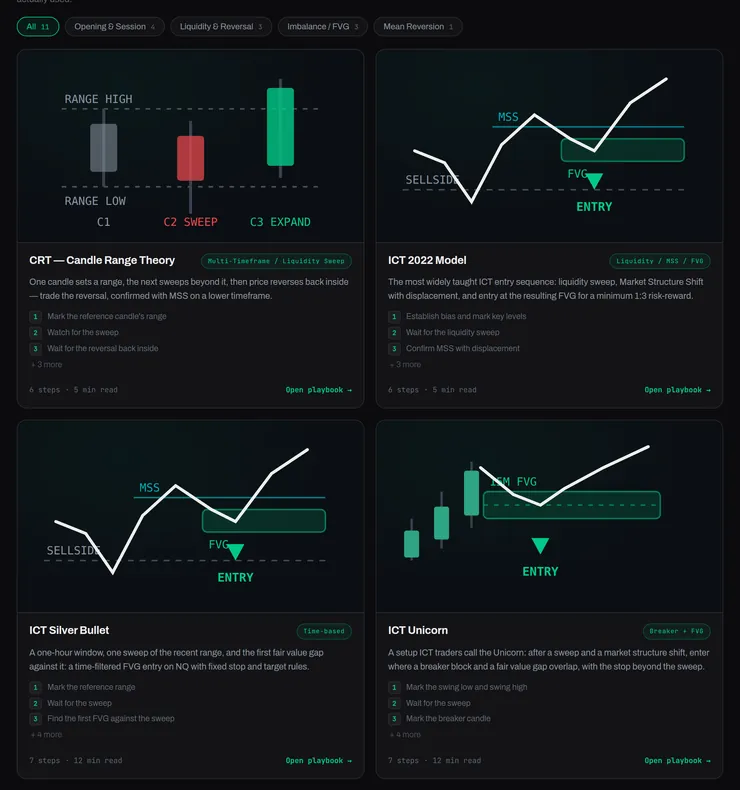
Model cards with category filters.
01 / 06
One library, filtered by category
Every model sits in one library. Filter by category, such as opening and session, liquidity and reversal, imbalance and FVG, or mean reversion, and open the playbook you want.
How it works
Each card shows the model’s diagram, its category tag, its first steps and how many steps and minutes of reading it has.
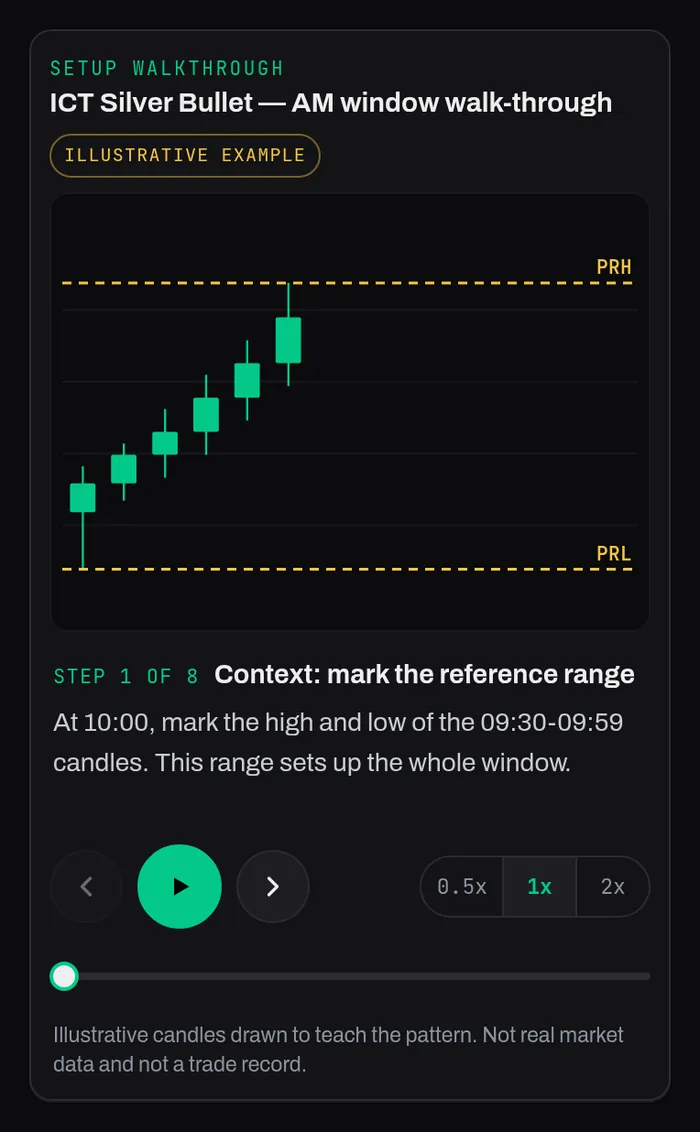
Setup walkthrough, step by step.
02 / 06
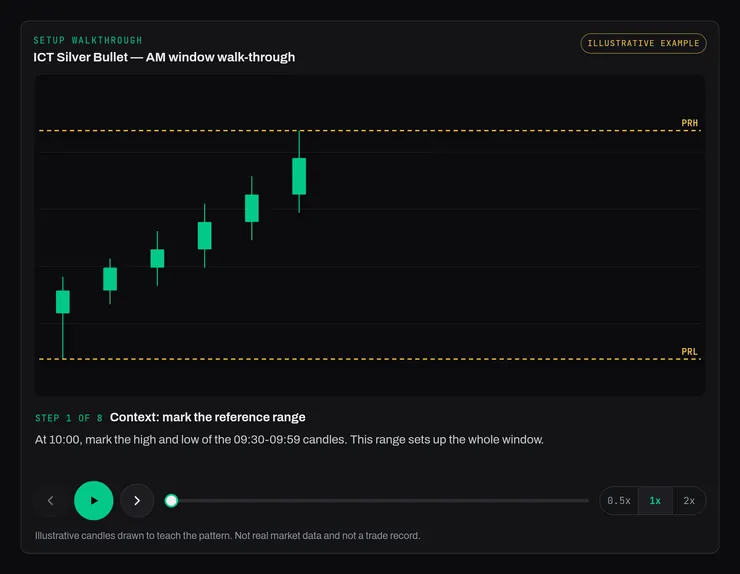
Animated setup walkthrough
Step through the setup one stage at a time, with each stage drawn on an illustrative chart. Pause, go back, or change the speed.
How it works
The walkthrough is drawn to teach the pattern. The page labels it an illustrative example: not real market data and not a trade record.
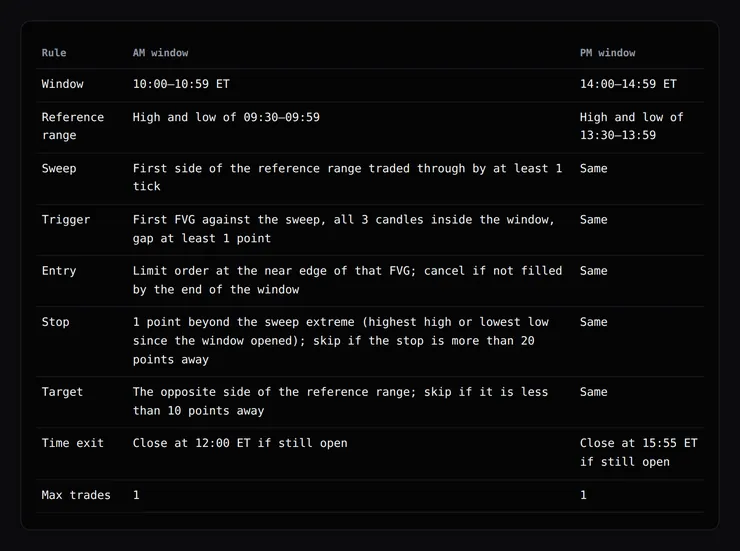
The mechanical rules, in one table.
03 / 06
The written rules
Context, trigger, entry, invalidation and management written down precisely enough that two students read the same setup the same way.
How it works
The stop is part of the model, decided before entry, not an afterthought.
Steps and criteria checklist.
04 / 06
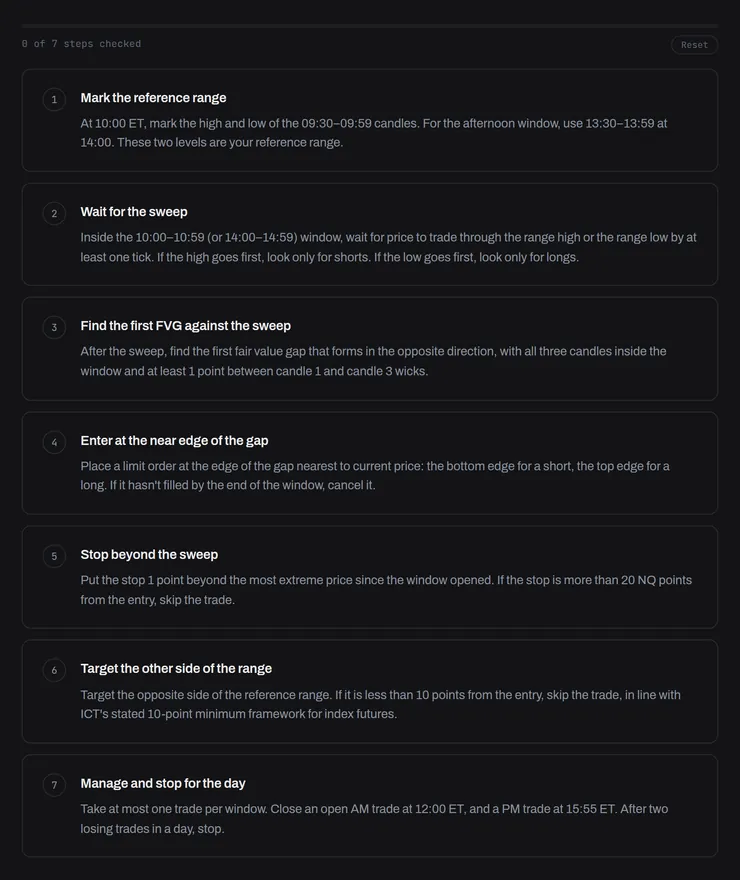
Steps & criteria checklist
Every model ends in a numbered checklist. Tick the steps off as you learn them.
How it works
The checklist sits under the written model, with a reset button.
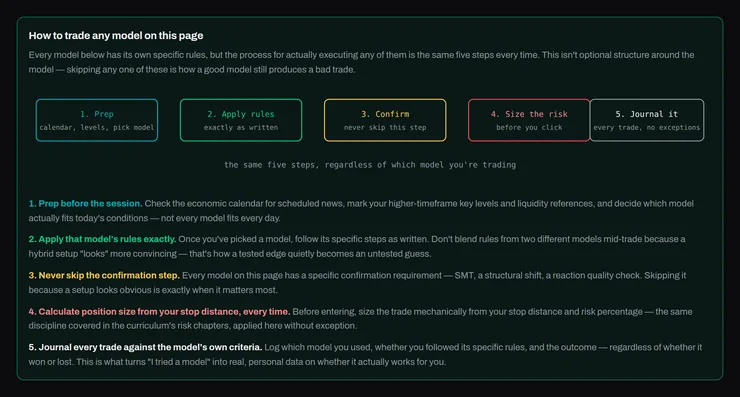
The five-step process shown above the library.
05 / 06
How to trade any model
One process for every model: prep before the session, apply the model’s rules exactly, never skip the confirmation step, size from the stop, and journal every trade against the model.
How it works
The same five steps sit at the top of the library, so the routine is the same whichever model you study.
The walkthrough on a phone.
06 / 06
On any screen
The library, the walkthroughs and the checklists work on a phone: the same account and the same models.
How it works
Open a model on your phone before a session and run the checklist from there.
One page per model, one standard for all
Open any model and you get the same anatomy. A consistent layout makes each model easier to follow.
1
Same anatomy
Every model reads the same way.
2
Tagged
Find models by category.
3
Checklist
End every model with the steps ticked off.
Questions
What is a trading model?
A complete written method that traders use: the context to look for, the trigger, where the idea is wrong, and how the trade is managed after entry.
Are the walkthrough charts real trades?
No. The walkthroughs use illustrative candles drawn to teach the pattern. The walkthrough player says when it is illustrative.